

Stripe
Stripe is the most complete payment provider integration in our Jampack SaaS Starterkit. It supports:
- subscription checkout
- workspace-scoped billing
- landing checkout
- billing portal
- webhook-based subscription lifecycle sync
You can follow following steps for configuring a integrated stripe payement system:
Step 1: Create your Stripe account
First, you’ll need to Create and log in to your Stripe account: https://dashboard.stripe.com
Step 2: Create your products and recurring prices
In Stripe Dashboard:
- Open
Product Catalog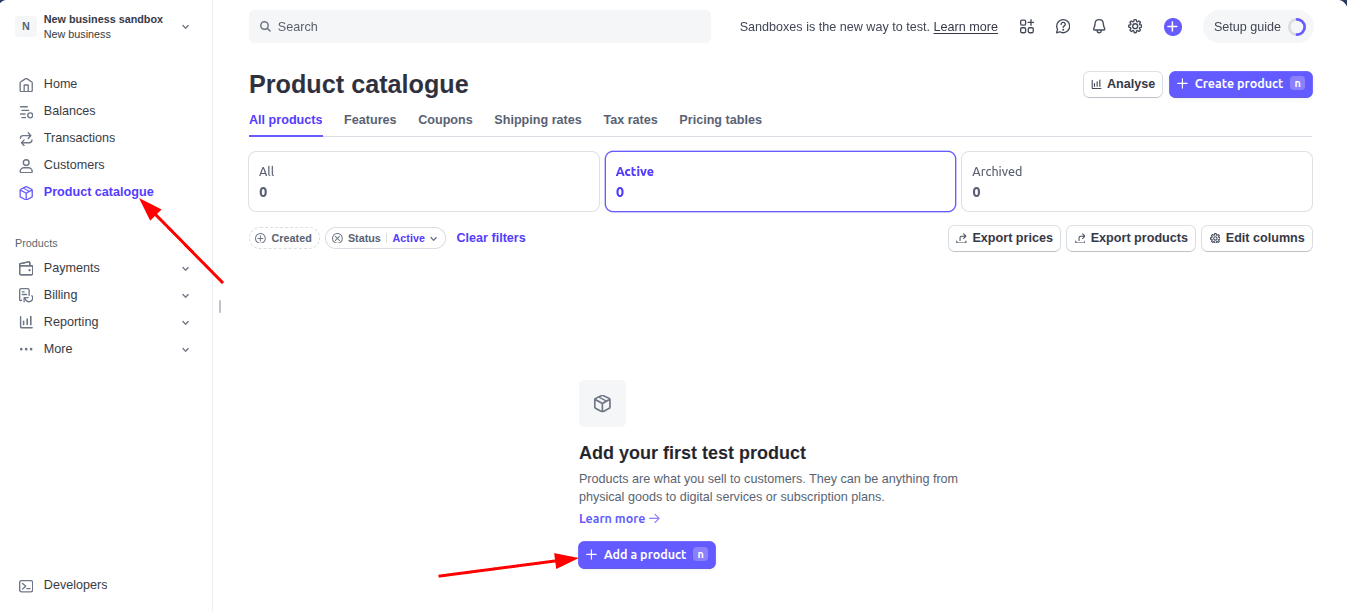
- Create your products such as:
- Pro
- Enterprise
- For each paid plan, create:
- one monthly recurring price
- one yearly recurring price
Step 3: Add Stripe price IDs to your project
- Open src/config/pricing.ts
- Update the variantIds.stripe values for each plan.
Example:stripe: { monthly: "price_xxx", yearly: "price_yyy", } - landing checkout
- billing portal
- webhook-based subscription lifecycle sync
Step 4: Add Stripe environment variables
- First you need to get your stripe API keys.You can do that by navigating to https://dashboard.stripe.com/test/apikeys or by going to the Stripe Dashboard and clicking on the
Developers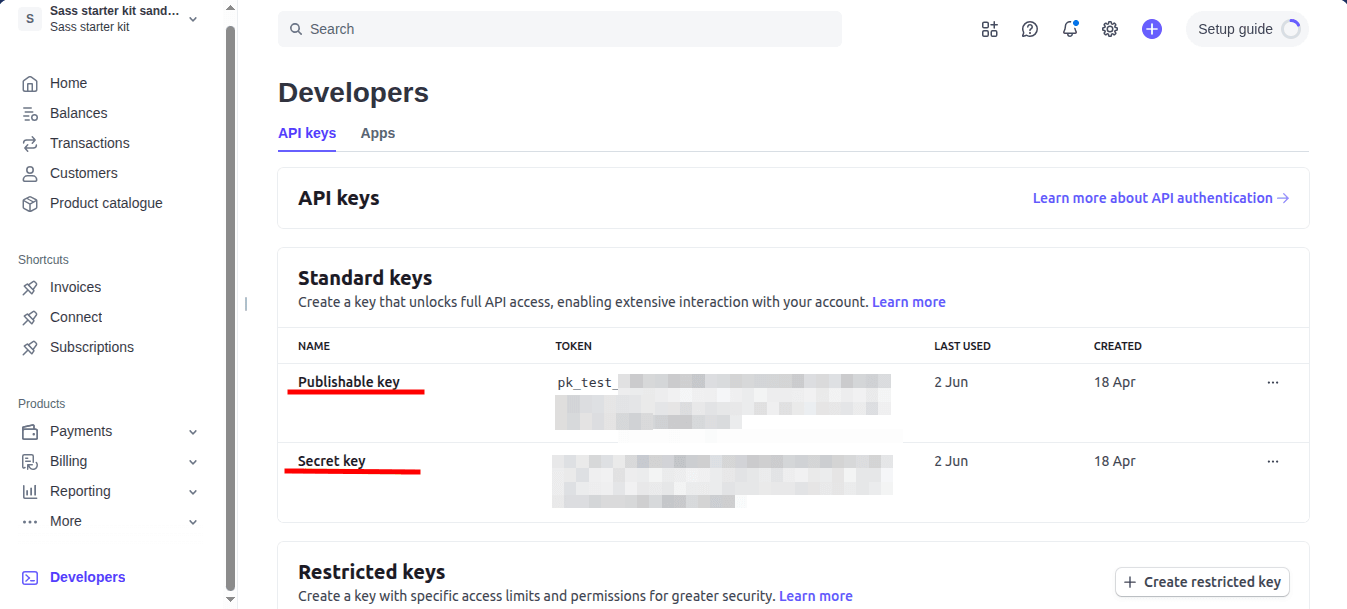
- Click on the Reveal test key token button and copy the Secret key.
- Set these in your .env:
NEXT_PUBLIC_STRIPE_PUBLISHABLE_KEY= STRIPE_SECRET_KEY= STRIPE_WEBHOOK_SECRET= - If you deploy to Vercel or another platform, add the same values in production environment settings.
Step 5: Configure the webhook endpoint
In Stripe Dashboard:
- Search Webhooks and select webhooks in result.
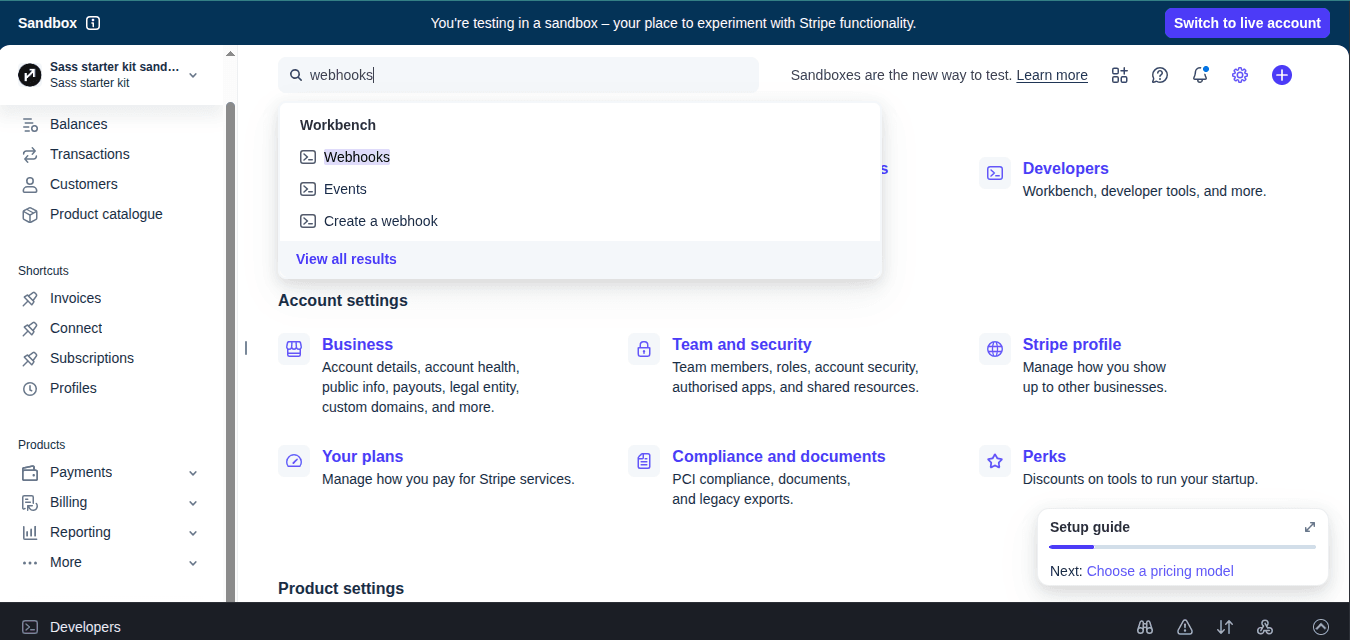
- After this you are redirected in webhook window
- Now Click on + Add destination button
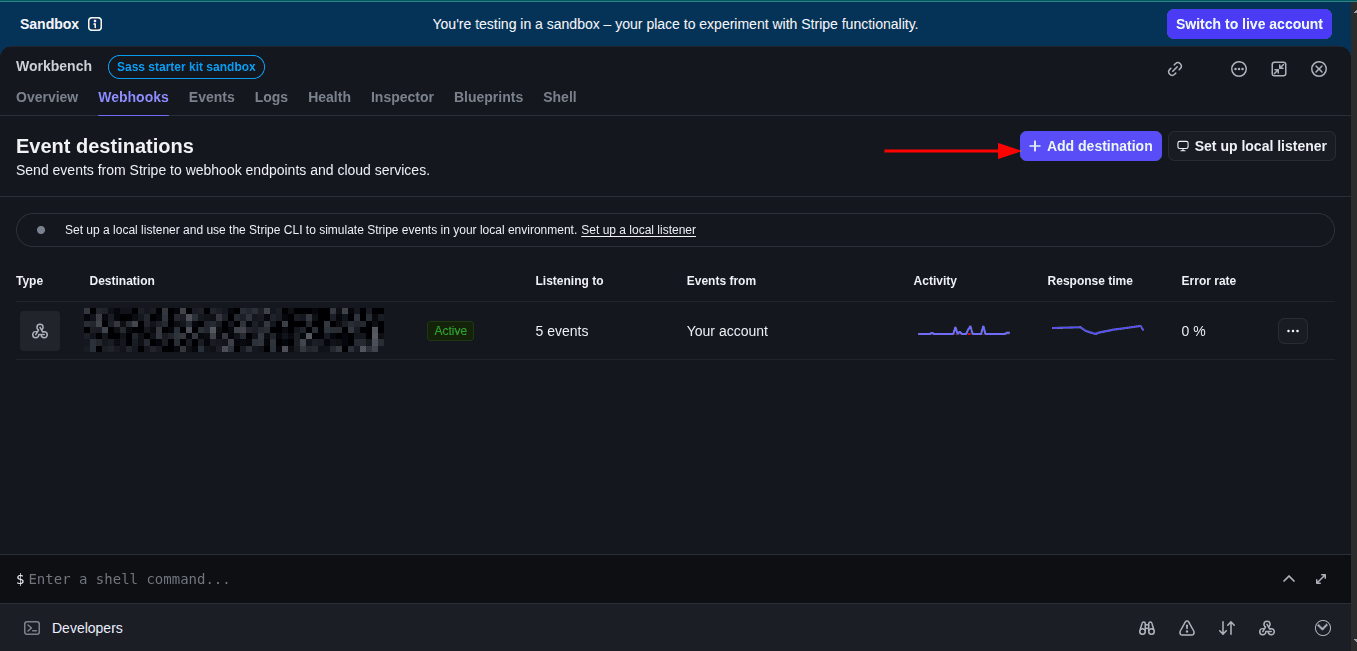
- Select Events (Important)
- checkout.session.completed (required)
- invoice.payment_succeeded
- customer.subscription.created
- customer.subscription.updated
- customer.subscription.deleted
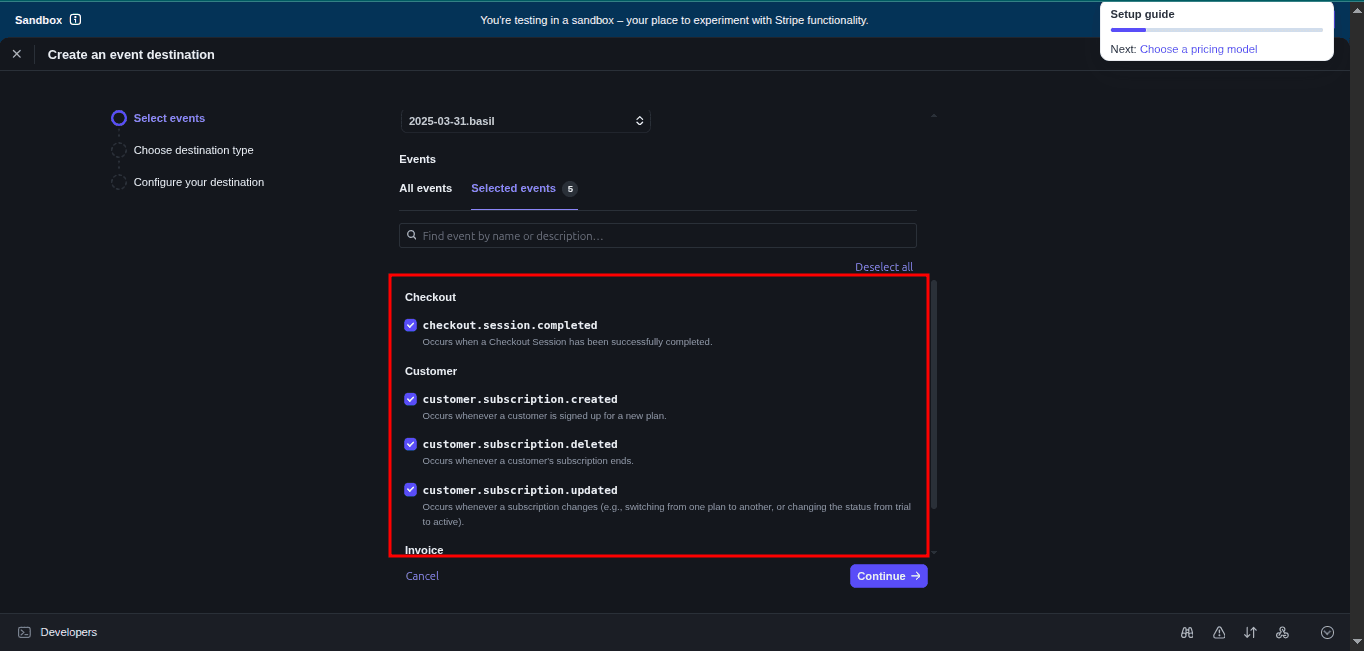
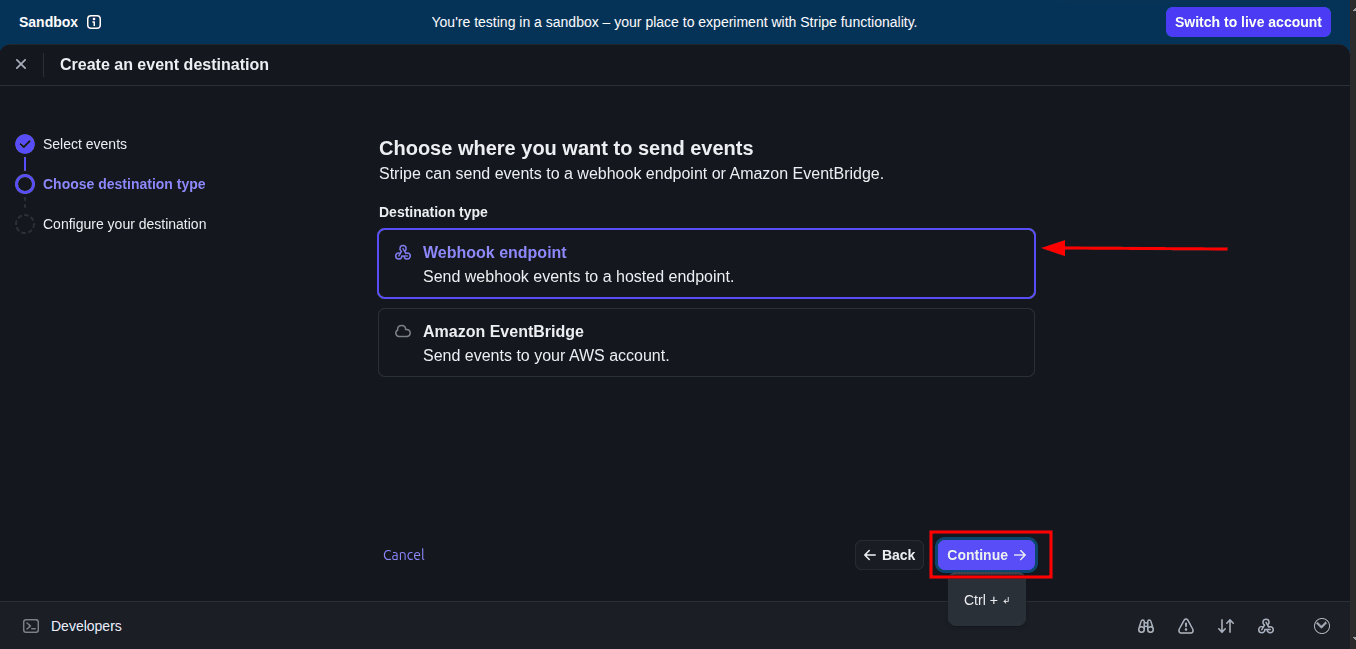
- Select Webhook endpoint and click on continue button
- Webhook endpoint (select this)
- AWS EventBridge (ignore)
- Enter your Endpoint URL and click on create destination button
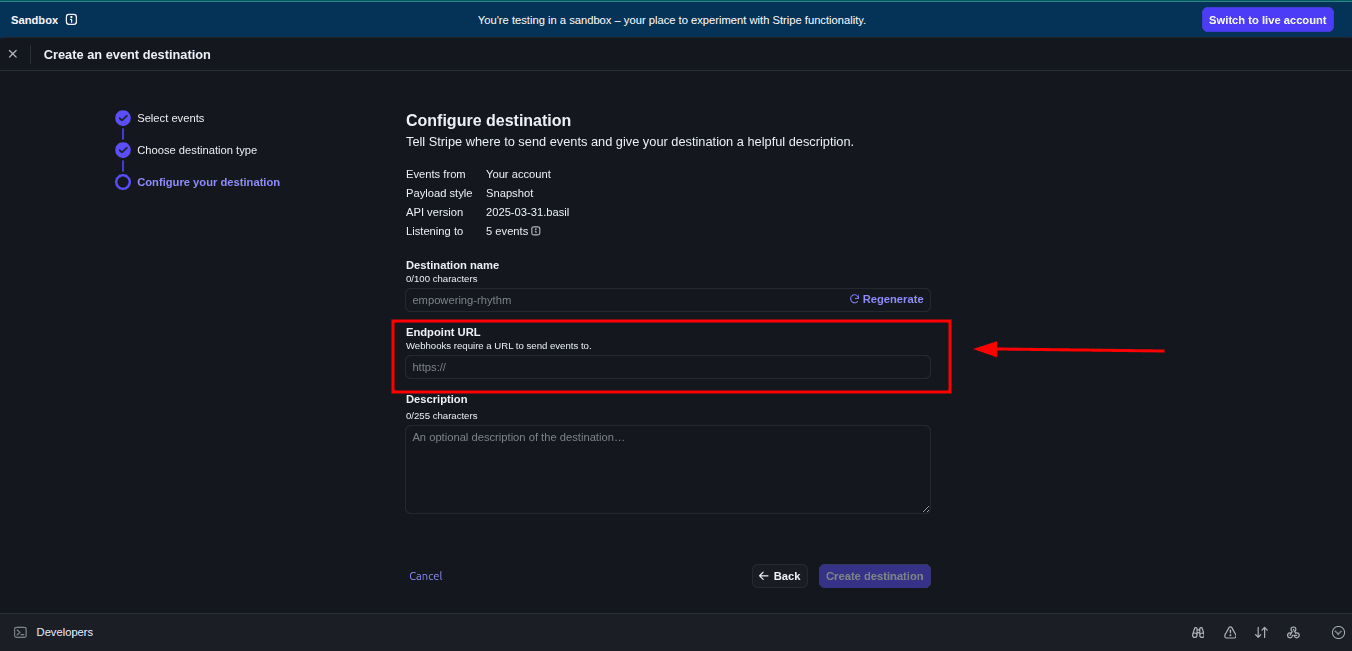
- Enter your backend API route:
https://yourdomain.com/api/webhook/stripe - For local testing:
http://localhost:3000/api/webhook/stripe
- Enter your backend API route:
- Get the Signing Secret
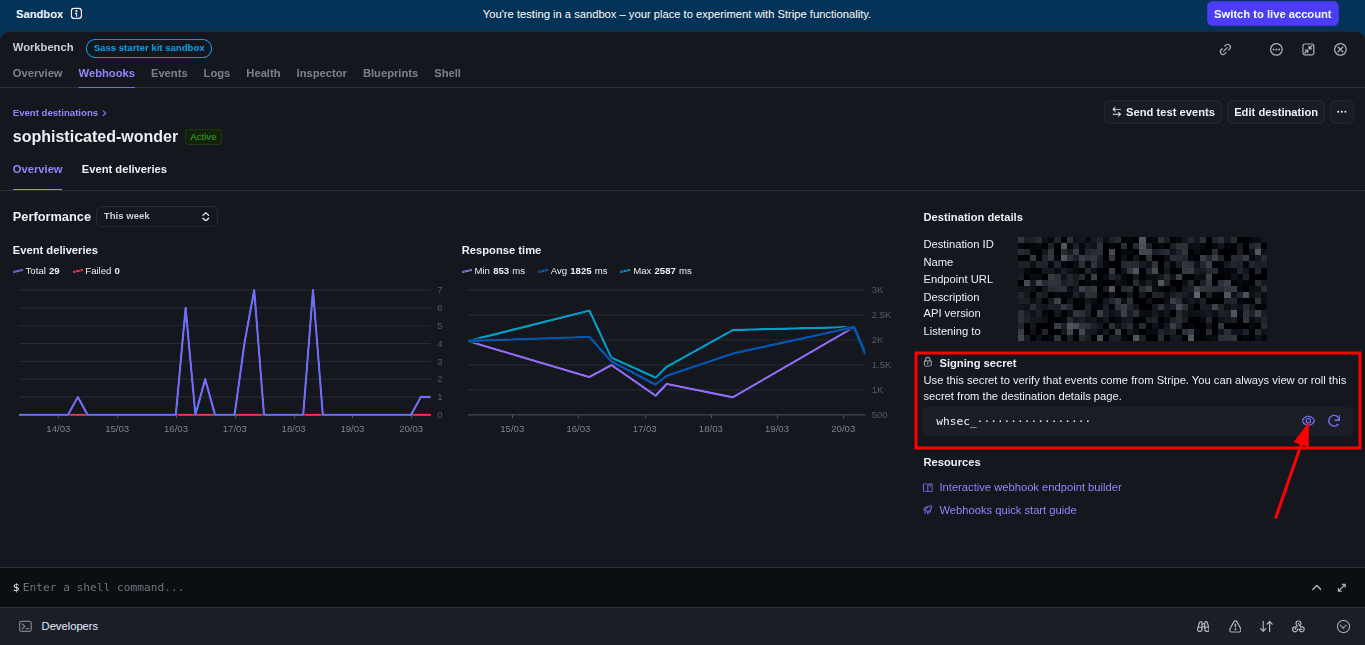
- Click on your webhook from the list
- Scroll to Signing secret
- Click Reveal
- Save it in your
.envfile:STRIPE_WEBHOOK_SECRET=whsec_abc123xyz