

Supabase
Supabase is the identity and session layer in the parent app. Prisma stores the business entities, but auth state is resolved from Supabase cookies and user records.
Required Variables
NEXT_PUBLIC_SUPABASE_URL=
NEXT_PUBLIC_SUPABASE_ANON_KEY=
SUPABASE_SERVICE_ROLE_KEY=
Main Files
- lib/auth.ts
- utils/supabase/server.ts
- utils/supabase/client.ts
- utils/supabase/middleware.ts
- middleware.ts
Step 1: Understand the Server and Client Clients
- createClient() in server.ts builds a server client using cookie accessors.
- supabase in client.ts creates a browser client with persisted sessions and URL session detection.
- getUser() in auth.ts is the simple server-side helper used when actions need the authenticated user.
Step 2: Understand Route Protection
This is the actual gatekeeper for the app, so if auth feels broken, check middleware before changing page logic.
- middleware.ts redirects / to /landing.
- Auth pages and landing pages are public.
- Protected app routes redirect unauthenticated users to /auth/login/simple?next=....
- Authenticated users are redirected away from login and signup pages.
Step 3: Configure Supabase Correctly
- Create the project in Supabase.
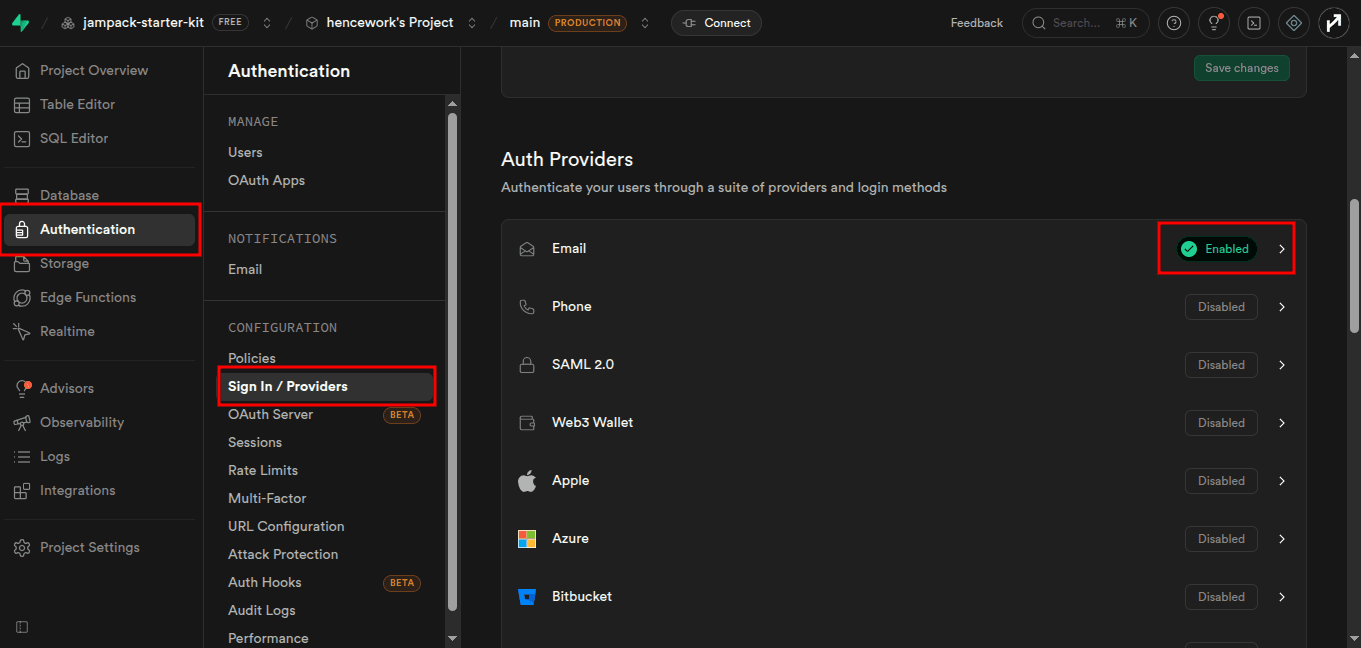
- Enable the auth providers you want.
- Add local and production redirect URLs.
- Copy the three environment variables.
- Test login, logout, signup, and reset password.
Important Project Assumption
The Prisma Profile.id is designed to match the Supabase Auth user ID. If these drift apart, profile, organization membership, and billing flows will not behave correctly.