

Paddle
This project already includes Paddle support for both app billing and subscription.
Before using it, create a Paddle account and collect the required credentials from your Paddle dashboard (https://www.paddle.com/).
Step 1: Add the required environment variables
Add the following values to your .env file:
PADDLE_API_KEY=
PADDLE_WEBHOOK_SECRET_KEY=
NEXT_PUBLIC_PADDLE_CLIENT_TOKEN=
NEXT_PUBLIC_PADDLE_ENV=sandbox
You should also make sure these URLs are configured correctly:
NEXT_PUBLIC_APP_URL=http://localhost:3000
NEXT_PUBLIC_JAMPACK_APP_URL=http://localhost:3000- Use sandbox credentials while testing locally.
- Switch to production only when you are ready for live payments.
Step 2: Create your Paddle credentials
In your Paddle dashboard, open Developer Tools and collect both server and client credentials.
- Create an API key and copy it into PADDLE_API_KEY.
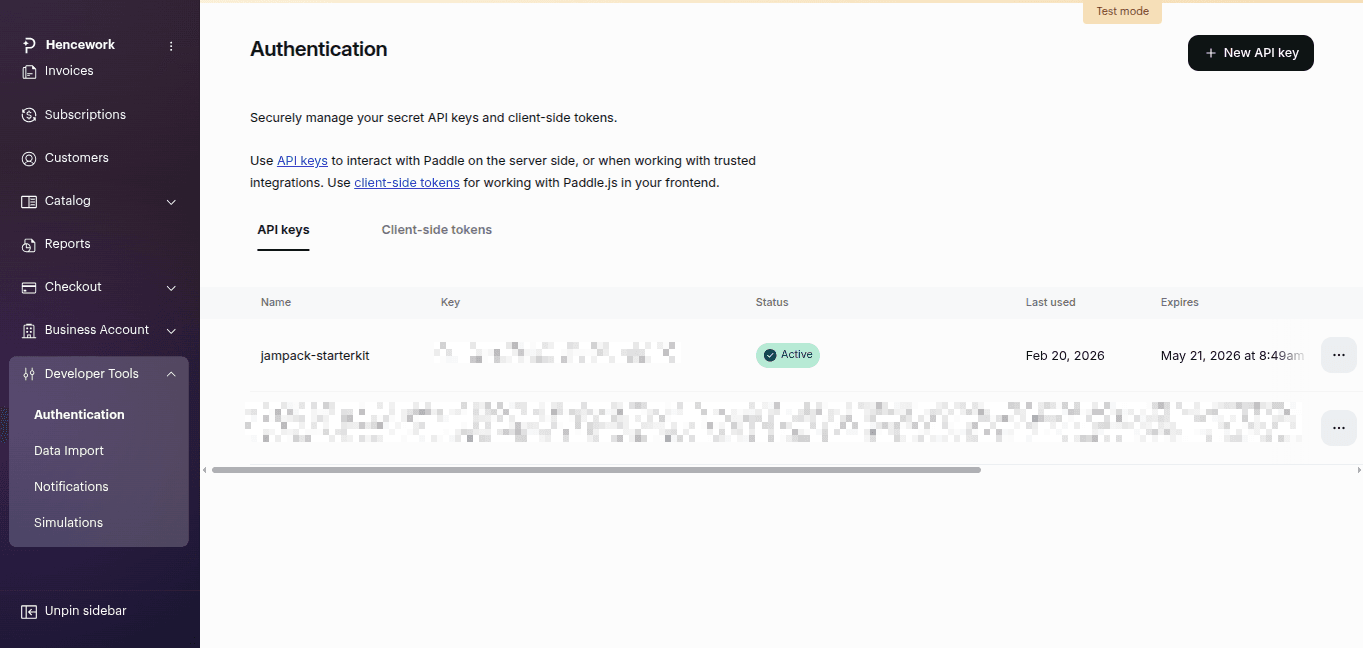
- Generate a client-side token and copy it into NEXT_PUBLIC_PADDLE_CLIENT_TOKEN.
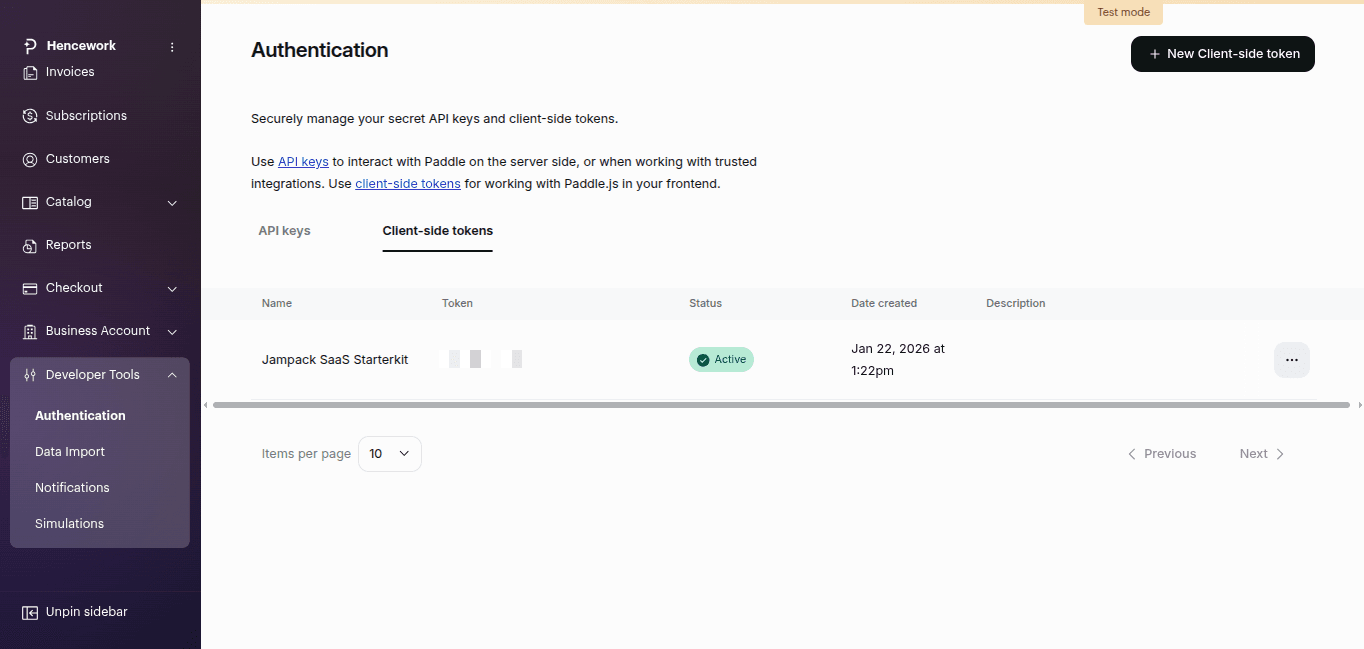
- Keep NEXT_PUBLIC_PADDLE_ENV=sandbox for local testing.
- Create New Products from your Paddle Dashboard > Catlog > Products.
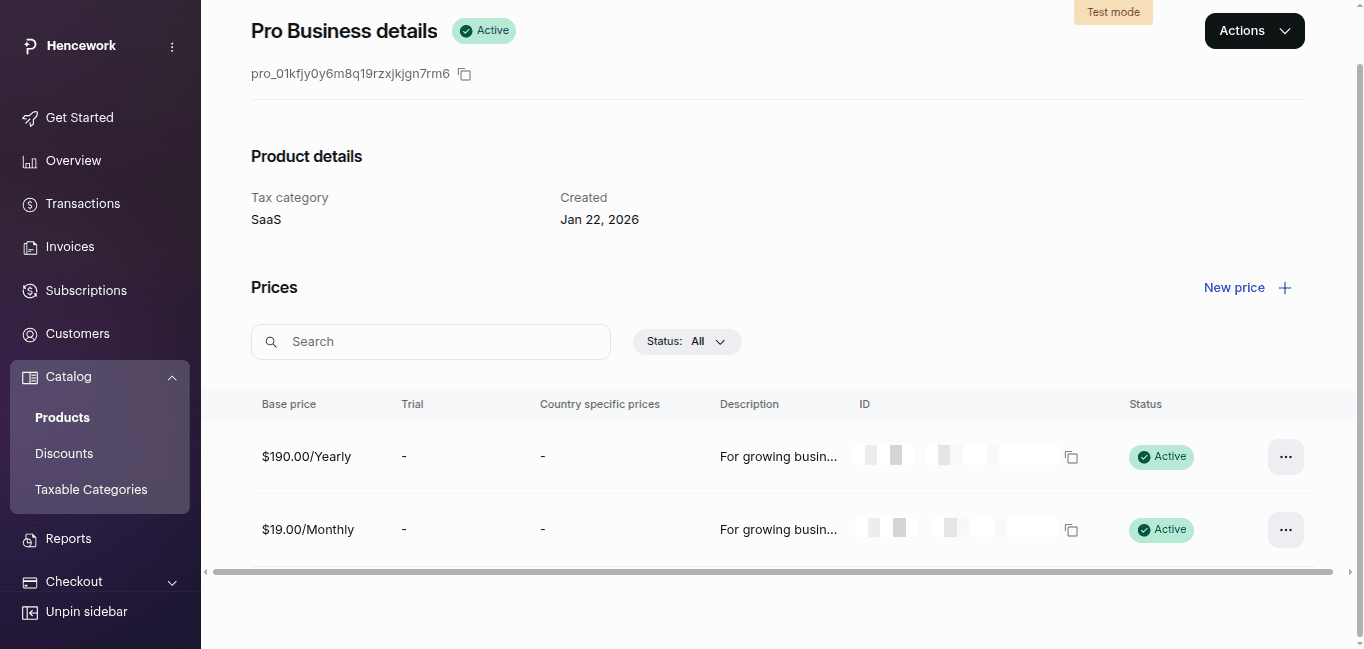
- Now copy this price id and save it in your project.
Step 3: Add Paddle price IDs to your project
Create your recurring Paddle prices for each paid plan and copy those IDs into src/config/pricing.ts.
This project expects the Paddle variant structure below:
variantIds: {
  paddle: {
    monthly: "pri_xxx",
    yearly: "pri_xxx",
  },
}- The app already reads Paddle IDs from the paddle section of each plan in SUBSCRIPTION_PLANS.
- Create separate monthly and yearly prices for each paid plan you want to sell.
Step 4: Configure the Paddle webhook
Create a Paddle webhook destination and point it to your app webhook route.
- Use this production endpoint:
https://your-domain.com/api/webhooks/paddle - For local development use:
http://localhost:3000/api/webhooks/paddle - After Paddle generates the signing secret, save it in your environment:
PADDLE_WEBHOOK_SECRET_KEY=...
The current webhook route verifies the paddle-signature header using PADDLE_WEBHOOK_SECRET_KEY.