

Lemon Squeezy
Lemon Squeezy is the simplest payment gateway for indie hackers and solo founders. Like Paddle, they act as Merchant of Record. Simple API, instant approval, great for SaaS products.
Step 1: Create a Lemon Squeezy Account
- Go to https://lemonsqueezy.com and create a free account.
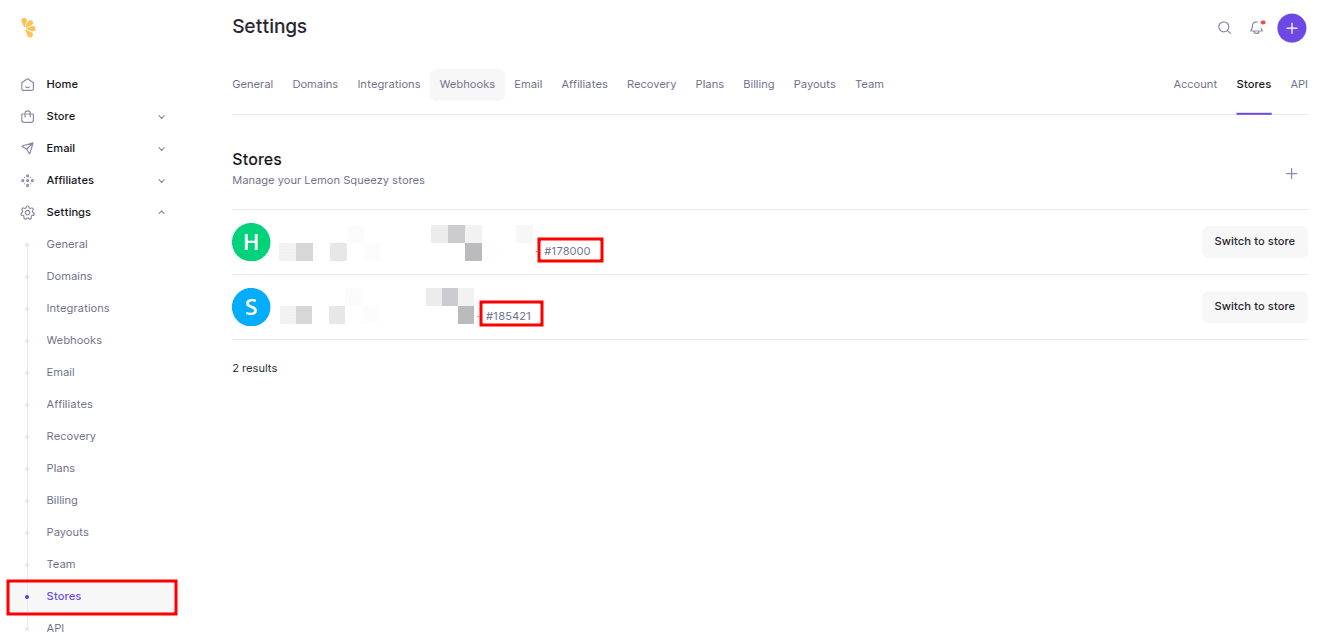
- Set up your store (Settings → Store).
- Note your Store ID from Settings → Store → Store details.
Step 2: Get Your API Key
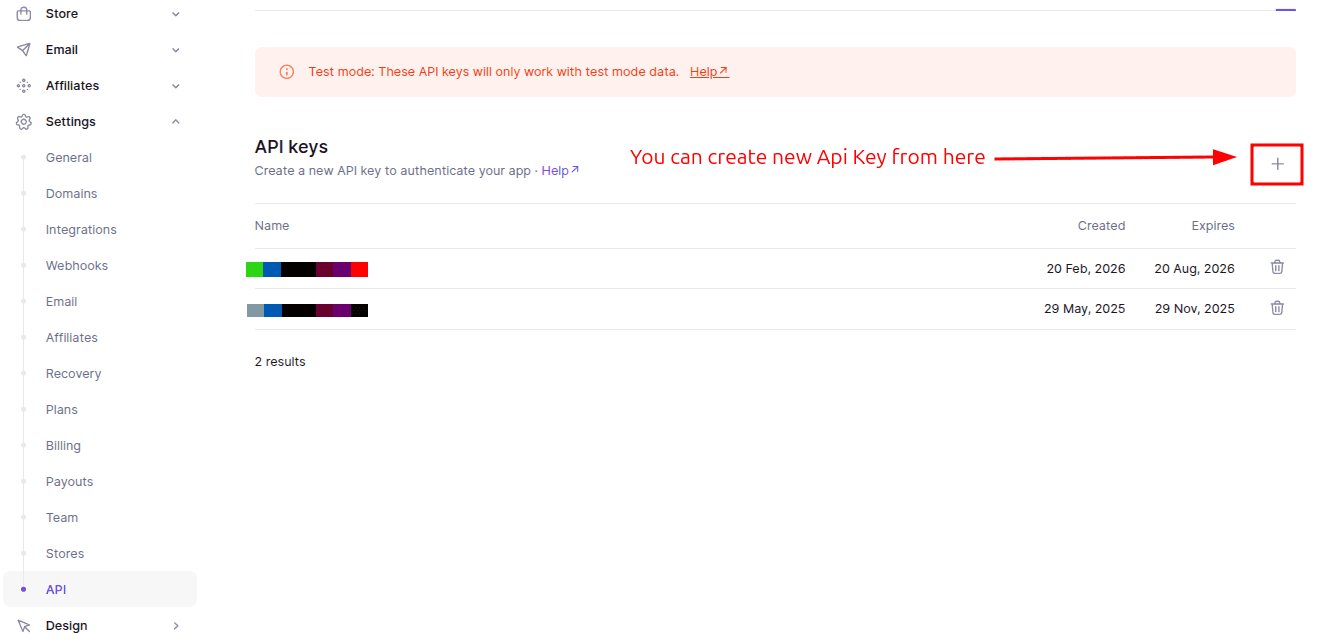
- Navigate to: Lemonsqueezy Dashboard → Settings → API → New API Key
Step 3: Create Products & Variants
- Navigate to: Lemonsqueezy Dashboard → Store → Products → New Product.
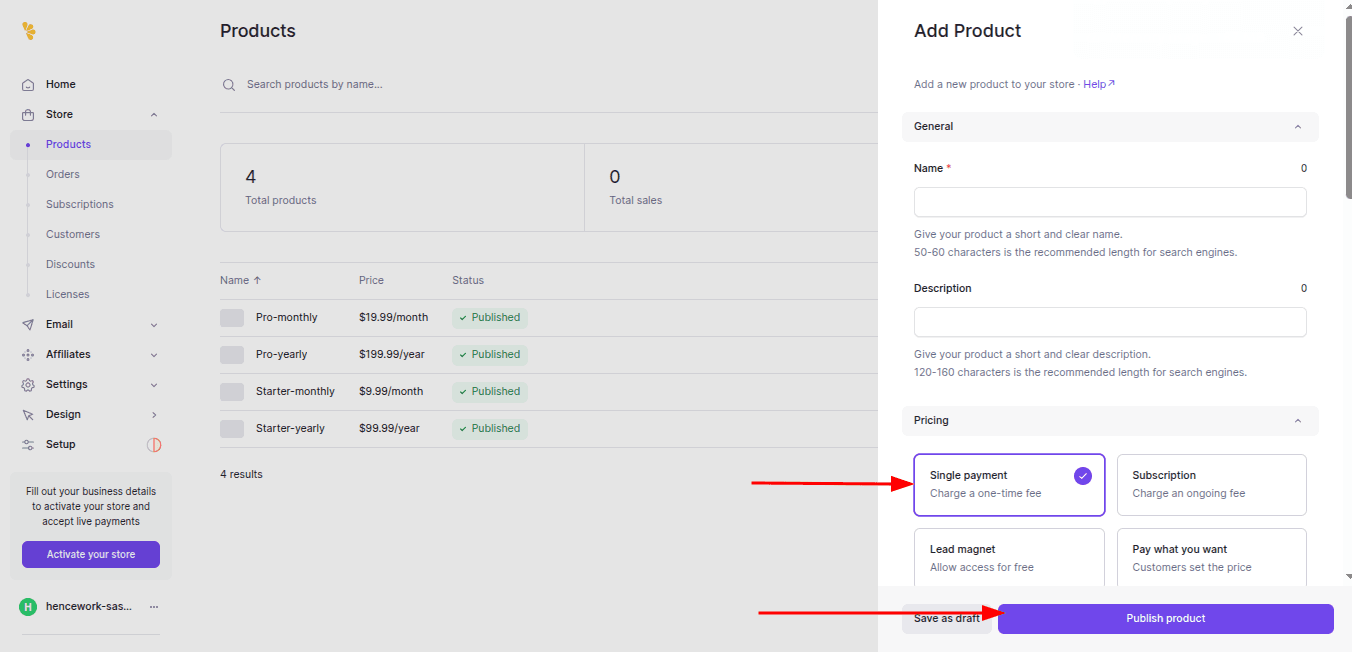
- Click on the Add a product button and fill in the relevant information for your product.
- Make sure you select Software as a service (SaaS) as the product type.
- For Subscription products, make sure you select Recurring as the billing type.
- For One-time payment products, make sure you select One-time as the billing type.
- If you intend to let your users switch between two subscription plans, e.g. upgrade from hobby to pro, you’ll need to create two separate products and with their own price IDs. The ability for users to switch plans can then be configured later in the Customer Portal.
- If you want to add different price tiers for the same product (e.g. monthly and yearly), click the Add another price button at the buttom.
Configure Webhooks
- Navigate to: Lemonsqueezy Dashboard → Settings → Webhooks → Add webhook
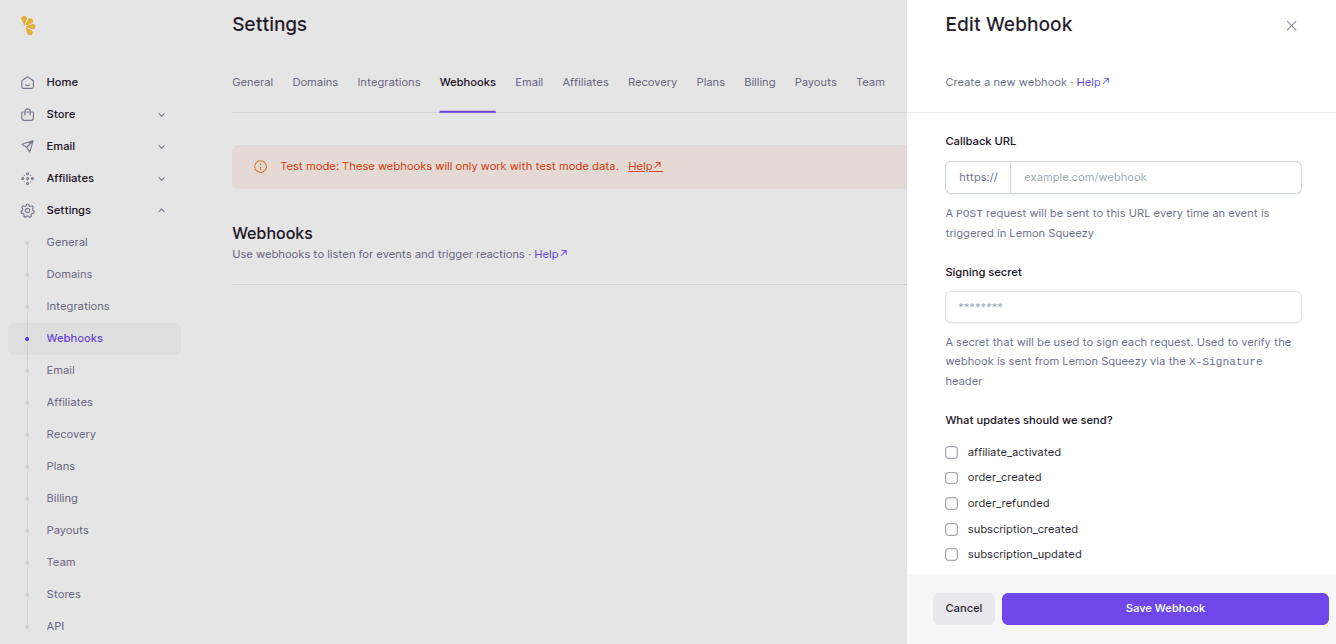
- Add the webhook URL as follows: https://yourdomain.com/api/lemonsqueezy/webhook.
- Add Signing Secret: Provide a signing secret of your choice (it could be anything you want). Copy the secret and update your environment variable:ini LEMON_SQUEEZY_WEBHOOK_SIGNATURE=“YOUR_SECRET“.
- Select the actions to be triggered by the webhook. For now, select all actions. You can customize this later.
- Click the “Save Webhook” button to finalize the integration.
Step 5: Add Lemon Squeezy Environment Variables
- The checkout actions sanitize these values before using them, so remove stray quotes if you copied them from a dashboard or hosting provider.
LEMONSQUEEZY_API_KEY=
LEMONSQUEEZY_STORE_ID=
LEMONSQUEEZY_WEBHOOK_SECRET=
Step 6: Add Variant IDs in Pricing Config
- Open config/pricing.ts and confirm the monthly and yearly variantIds.lemonsqueezy values for each paid plan.
lemonsqueezy: {
  monthly: "1326322",
  yearly: "1326315",
}